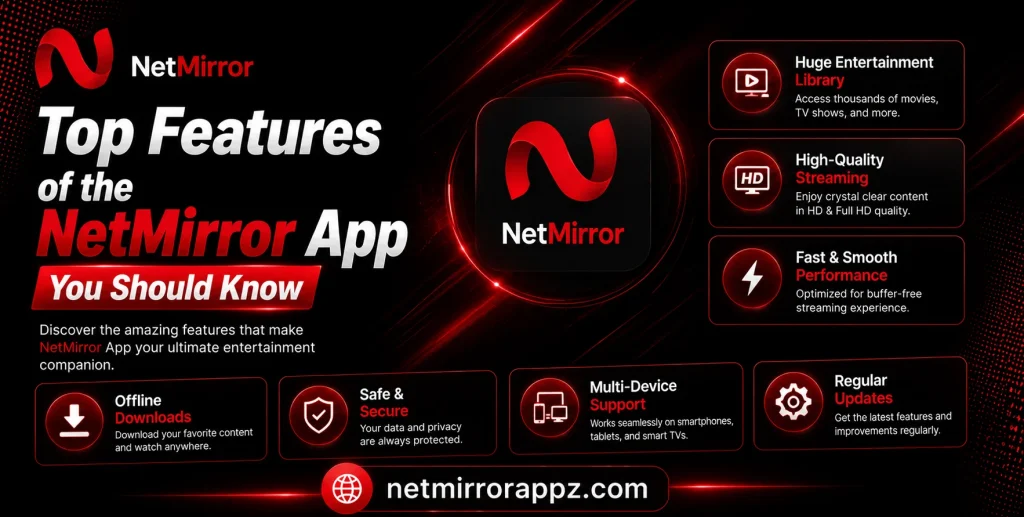
Top Features of the NetMirror App You Should Know
Every streaming app has a set of features that shape the overall user experience, and NetMirror App is no exception. From its simple design to its wide content library, several features make it a preferred choice among free streaming apps. This guide from NETMIRRORAPPZ.COM covers the top features worth knowing before you start using the app.
Extensive Content Library
One of the standout features of NetMirror App is its large collection of movies, series, and shows across different genres. Users can find action, drama, comedy, and even regional content without much searching. This wide variety keeps the app relevant for different types of viewers, from casual watchers to dedicated binge fans.
The library also receives frequent updates, which means new releases appear on a regular basis. This keeps the platform fresh and reduces the chance of running out of new content to watch. A constantly updated catalog is a major draw for repeat users.
No Registration Requirement
Unlike many streaming platforms that require account creation, NetMirror App allows users to jump straight into content without signing up. There is no need to provide an email address, phone number, or payment method. This feature alone makes the app appealing to users who value speed and simplicity.
Skipping registration also means less personal data is stored, which many privacy-conscious users appreciate. The absence of a login screen reduces friction and gets users to their favorite shows faster. This straightforward approach sets the app apart from more complex platforms.
Multiple Video Quality Options
NetMirror App supports different video quality settings, allowing users to adjust playback based on their internet speed. This flexibility helps reduce buffering for users with slower connections while still offering high-definition options for those with strong Wi-Fi. Below is a quick look at the typical quality tiers offered.
| Quality Option | Best For |
|---|---|
| Low (SD) | Slow or limited internet |
| Medium | Standard mobile data use |
| High (HD) | Stable Wi-Fi connections |
This kind of flexibility ensures that users across different regions and network conditions can still enjoy smooth playback. It also helps reduce data consumption for users on limited mobile plans.
Lightweight App Design
Many streaming apps take up significant storage space, but NetMirror App is built to stay lightweight. This makes it suitable for older phones or devices with limited storage capacity. A smaller app size also means faster installation and quicker updates.
Lightweight design does not come at the cost of performance, since the app still runs smoothly across most devices. This balance between size and functionality is one of the more practical features users notice right away. It reflects a focus on accessibility over unnecessary bulk.
Simple and Clean Interface
Navigation plays a huge role in how enjoyable an app feels to use, and NetMirror App keeps things simple. The home screen organizes content into clear categories such as trending, popular, and recently added titles. Search functionality makes it easy to locate a specific show without scrolling endlessly.
Category-Based Browsing
Content is grouped into clear categories such as trending, popular, and recently added titles, making it easy to scan for something new. This structure reduces the time users spend searching before they start watching.
Search and Ad Experience
A dedicated search bar allows for direct title lookup, while ad placement stays minimal compared to many other free platforms. Fast loading screens keep wait times low even when switching between sections repeatedly.
This clean layout appeals especially to first-time users who want an easy learning curve. There is little to no confusion when navigating between sections.
Regular Updates and Bug Fixes
The developers behind NetMirror App release updates on a consistent basis to fix bugs and add new features. These updates also help patch any performance issues reported by users. Staying updated ensures smoother playback and fewer app crashes over time.
Users can always find the latest version through official sources like NETMIRRORAPPZ.COM, avoiding outdated or modified files. Regular maintenance is a strong sign of an actively supported app rather than one left unattended. This ongoing support adds long-term value for users.
Search and Discovery Tools
Finding the right show quickly matters just as much as having a large library, and NetMirror App handles this well through its built-in search tools. The search bar allows users to type a title directly and jump straight to results without scrolling through unrelated categories. Filter options for genre, language, and release year further narrow down choices for users with specific preferences.
Suggested titles based on trending activity also appear throughout the app, helping users discover new content they might not have searched for directly. This combination of direct search and passive discovery keeps the browsing experience efficient. Users spend less time hunting and more time actually watching.
Cross-Device Flexibility
While NetMirror App is primarily designed for mobile use, many users appreciate the flexibility of accessing it across different devices. The app performs consistently whether installed on a phone, tablet, or emulator running on a computer. This adaptability makes it convenient for users who switch between devices throughout the day.
Since there is no mandatory account tied to the app, switching devices does not require any syncing or login process. Each installation works independently, which simplifies the overall setup. This kind of flexibility is especially useful for households with multiple users sharing devices.
Minimal Ad Interruptions
Free apps often rely on advertising, but the way ads are implemented can make or break the user experience. NetMirror App keeps ad placement relatively minimal compared to many competing free platforms. Below is a general overview of how ad frequency compares.
| App Type | Typical Ad Frequency |
|---|---|
| NetMirror App | Low to moderate |
| Typical Free Streaming Apps | Moderate to high |
| Paid Subscription Apps | Minimal to none |
This balance allows the app to remain free while still keeping interruptions manageable for most users. A lighter ad experience contributes significantly to overall user satisfaction.
Community Trust and Reputation
Features alone do not build a loyal user base; consistency and trust play an equally important role. NetMirror App has built a reputation over time through steady performance and transparent communication on NETMIRRORAPPZ.COM. Users who return to the app regularly often cite reliability as a key reason for their continued use.
Word-of-mouth recommendations also play a role in the app’s growing popularity, as satisfied users tend to share their experience with friends and family. This organic growth reflects genuine satisfaction rather than aggressive marketing. A strong reputation, built over time, adds another layer of value beyond the app’s technical features.
Feature Consistency Across Updates
One underrated feature of NetMirror App is how consistently its core functions remain stable across version updates. Users do not typically need to relearn the interface after an update, since design changes tend to be incremental rather than drastic. This consistency reduces frustration and keeps the learning curve low even for occasional users.
Developers also tend to preserve familiar navigation patterns while quietly improving performance behind the scenes with each release. This approach respects the time users have already invested in learning the app. Consistency, paired with steady improvement, is a feature that often goes unnoticed but adds real long-term value.
How These Features Work Together
Individually, each feature of NetMirror App offers a clear benefit, but the real value comes from how they work together as a whole. A large content library paired with fast search tools means users spend less time browsing and more time watching. A lightweight design combined with flexible video quality settings ensures smooth performance across a wide range of devices and internet speeds.
No registration requirements paired with minimal ads create a low-friction experience from the very first launch. Together, these features form a cohesive package rather than a random collection of individual perks. This combination is a major reason why users consistently return to the app through NETMIRRORAPPZ.COM for their streaming needs.
Features That Save Time
Beyond entertainment value, several features of NetMirror App are designed specifically to save users time during everyday use. Quick category browsing, fast search results, and a lightweight app that opens without delay all contribute to a shorter path between opening the app and watching something enjoyable. For users with limited free time, these small efficiencies add up to a noticeably better overall experience.
Fewer taps and shorter loading screens might seem like minor details, but they shape how enjoyable an app feels on a daily basis. This focus on efficiency reflects thoughtful design rather than a mere accident of simplicity. Time saved during navigation is time gained for actually enjoying the content itself.
Getting the Most Out of These Features
To fully benefit from everything NetMirror App offers, a little exploration early on goes a long way. Spending a few minutes browsing through categories, testing the search function, and adjusting quality settings helps users tailor the experience to their preferences right from the start. This small investment of time pays off through faster navigation and fewer adjustments needed later.
Returning users who revisit NETMIRRORAPPZ.COM for update notes also tend to discover smaller feature improvements they might otherwise miss. Staying a little curious about the app’s settings and updates ensures users get full value from every feature available. A well-explored app almost always feels more rewarding than one used on default settings alone.
Final Thoughts
From its large content library to its lightweight design, NetMirror App brings together several features that make free streaming simple and enjoyable. Each feature serves a clear purpose, whether it’s saving storage space or reducing buffering time. For more detailed guides and the latest app version, NETMIRRORAPPZ.COM remains the go-to destination.