How to Install NetMirror App on iOS Devices
iPhone and iPad users often assume that free streaming apps like NetMirror App are only available for Android, but that is not the case. With the right steps, iOS users can also enjoy the app on their devices. This guide from NETMIRRORAPPZ.COM explains the full installation process for iOS in simple terms.
Why Installation Differs on iOS
Apple’s operating system follows stricter rules compared to Android when it comes to installing apps outside the App Store. This is why NetMirror App requires a slightly different setup process for iPhone and iPad users. Understanding this difference helps avoid confusion during installation.
Instead of downloading a direct file like an APK, iOS users typically rely on browser-based access or a trusted installer method. This keeps the process safe while still allowing access to the app’s features. Once set up, the experience closely matches what Android users get.
Steps to Access NetMirror App on iOS
Follow these steps to get started on an iPhone or iPad:
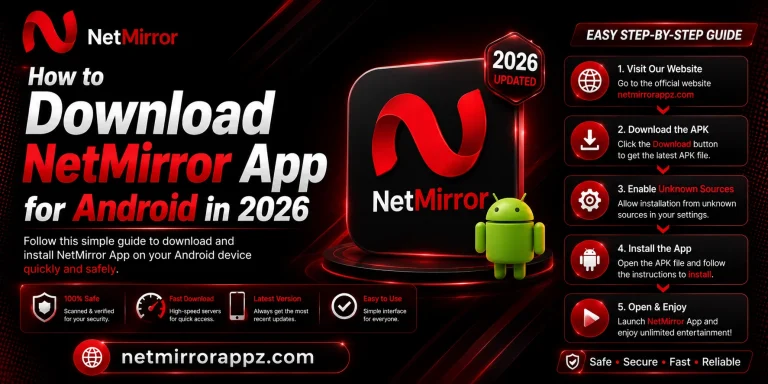
- Open Safari or your preferred browser and visit NETMIRRORAPPZ.COM
- Locate the iOS installation guide or direct access link on the site
- Follow the on-screen instructions provided for iOS devices
- Allow any necessary browser permissions when prompted
- Add the app shortcut to your home screen for quick access
These steps are designed to be beginner-friendly, even for users who are not very familiar with technical setups. The entire process usually takes just a few minutes to complete.
Trusting the App on Your iPhone
After installation, iOS devices sometimes display a warning about an untrusted developer profile. This is a standard security measure and does not mean the app is unsafe. Users need to go to Settings, then General, then VPN & Device Management, and select the developer profile to mark it as trusted.
Once trusted, the app opens normally without further warnings. This step is required only once during the initial setup process. Skipping this step is the most common reason installation attempts fail on iOS.
System Requirements for iOS
Before installing NetMirror App, it helps to confirm that your device meets the basic requirements. The table below outlines what is typically needed for smooth performance.
| Requirement | Minimum Specification |
|---|---|
| iOS Version | 12.0 or higher |
| Storage Space | At least 100 MB free |
| Internet Connection | Stable Wi-Fi recommended |
| Browser | Safari or Chrome |
Devices that meet these requirements should experience smooth streaming without major interruptions. Older iPhones may still work, though performance can vary slightly.
Common Installation Issues on iOS
Some users run into small hurdles while setting up the app on iOS. Here are common problems along with simple fixes:
- Untrusted profile warning: Trust the developer profile in device settings
- App shortcut not saving: Try adding it to the home screen again through the browser share menu
- Playback lag: Switch to a stronger Wi-Fi connection
- Access link not loading: Clear browser cache and revisit the site
Most of these issues resolve quickly once the correct settings are adjusted. Checking NETMIRRORAPPZ.COM for updated instructions can also help resolve less common problems.
Tips for a Smooth Experience on iOS
To get the best experience, users should keep their iOS software updated to a supported version. A stable internet connection also plays a big role in reducing buffering during playback. Clearing browser cache occasionally can help maintain fast loading speeds over time.
Bookmarking the official site makes it easier to check for updates or reinstall the app if needed. Staying consistent with these small habits leads to a much smoother long-term experience. Following official instructions remains the safest approach for iOS users.
Why Some iOS Users Face More Restrictions
Apple’s closed ecosystem is designed to protect users from unverified software, which is why third-party apps like NetMirror App need extra steps on iPhone and iPad. This restriction is not unique to this app, since almost every free streaming tool outside the App Store follows a similar setup pattern on iOS. Understanding this context helps users approach the process with realistic expectations rather than frustration.
Apple periodically updates its security policies, which can occasionally affect how third-party apps are accessed or trusted. Staying informed through NETMIRRORAPPZ.COM ensures users always have the most current setup method available. Adapting to these small changes is a normal part of using apps outside the official store.
Managing Storage on iOS Devices
iPhones and iPads often have less flexible storage management compared to Android devices, making it important to monitor space usage. Before installing NetMirror App, checking available storage through Settings, then General, then iPhone Storage helps avoid installation errors. Clearing unused photos, apps, or cached files can free up enough space for a smooth setup.
Streaming apps also generate temporary cache data during use, which can build up over time on iOS devices. Periodically checking storage usage and clearing app data helps maintain consistent performance. This simple habit prevents slowdowns during longer viewing sessions.
Comparing the iOS and Android Experience
While the core app remains the same, the setup and daily experience can differ slightly between iOS and Android. The table below highlights a few key differences.
| Aspect | iOS Experience | Android Experience |
|---|---|---|
| Installation Method | Browser-based access | Direct APK download |
| Trust Verification | Required in device settings | Not required |
| App Store Availability | Not listed | Not listed |
| Update Process | Through official site | Through official site |
Despite these small differences, both platforms ultimately deliver the same content library and core features. Users switching between an iPhone and an Android device should not notice a major gap in functionality.
Keeping the App Updated on iOS
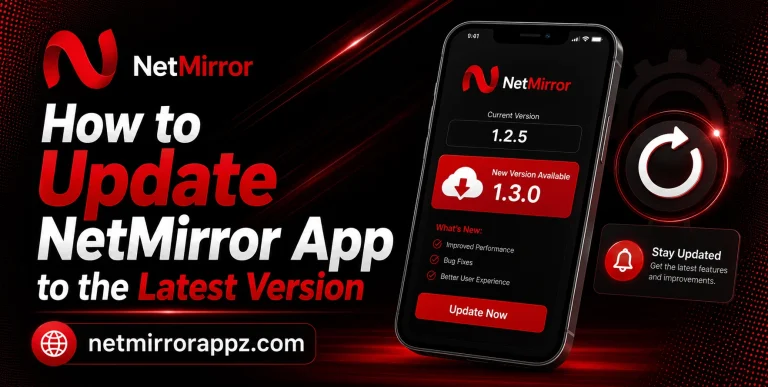
Since NetMirror App is not distributed through the App Store, updates must be checked manually rather than through automatic app store notifications. Visiting NETMIRRORAPPZ.COM periodically ensures users do not miss important updates or security patches. Setting a personal reminder every few weeks is a practical way to stay current.
Updated versions often address compatibility issues introduced by new iOS releases, making timely updates especially important for Apple devices. Skipping updates for long periods can lead to unexpected errors or reduced performance. A quick monthly check keeps the app running reliably over time.
Frequently Asked Questions for iOS Users
New iOS users often ask a few recurring questions before installing the app.
Will the App Disappear After a Certain Number of Days?
Occasionally, trust certificates can expire and require re-verification through device settings, which is a standard part of using apps outside the App Store. Re-trusting the profile usually resolves this within a minute.
Does Installing the App Affect Other Apps on the iPhone?
No, the process only adds the new app without impacting existing software or personal data. All other apps and files remain untouched.
Is a Jailbroken Device Required?
No, the standard installation method works on regular, non-jailbroken iPhones and iPads without any special modifications. No advanced technical setup is needed beyond the standard trust steps.
Keeping the Experience Consistent Across Apple Devices
Users who own both an iPhone and an iPad often want a consistent experience across both devices. Since the installation method relies on the same browser-based process, setup steps remain nearly identical regardless of which Apple device is used. This consistency makes it easy to enjoy the same content library whether watching on a smaller phone screen or a larger tablet display.
Syncing preferences manually, such as noting a favorite quality setting, can help maintain a similar experience across devices since there is no automatic account-based syncing. Taking a few minutes to set up each device the same way creates a more seamless overall experience. For the most current setup instructions across all Apple devices, NETMIRRORAPPZ.COM remains the most reliable reference point.
Handling Future iOS Software Updates
Apple regularly rolls out new versions of iOS, and these system-level updates can occasionally change how third-party apps behave on the device. After updating an iPhone or iPad, it is worth briefly checking that NetMirror App still opens and plays content normally. In rare cases, a trust certificate may need to be re-approved through device settings following a major iOS update.
Staying aware of this possibility prevents unnecessary confusion if the app briefly behaves differently after a system update. Checking NETMIRRORAPPZ.COM for any iOS-specific notices around the same time can clarify whether a wider fix is needed. This small awareness keeps the experience consistent even as Apple’s software continues to evolve.
Final Preparation Checklist
Before beginning the installation, running through a short checklist can prevent common setup delays on iOS. Confirm that the device has a supported iOS version, sufficient storage space, and a stable internet connection ready for the process. Having NETMIRRORAPPZ.COM bookmarked in Safari also makes it faster to revisit the page for the trust verification step.
Taking a moment to prepare these details in advance turns the installation into a quick, predictable process rather than a confusing one. Most users who follow this checklist complete the entire setup within a few minutes without needing to troubleshoot along the way. Good preparation is often the simplest way to avoid unnecessary installation headaches on iOS.
Final Thoughts
Installing NetMirror App on iOS takes a slightly different path compared to Android, but the process remains simple once you know the steps. From trusting the developer profile to saving a home screen shortcut, each step plays an important role. For the latest setup instructions and updates, NETMIRRORAPPZ.COM is the best place to check.