Best Alternatives to NetMirror App in 2026
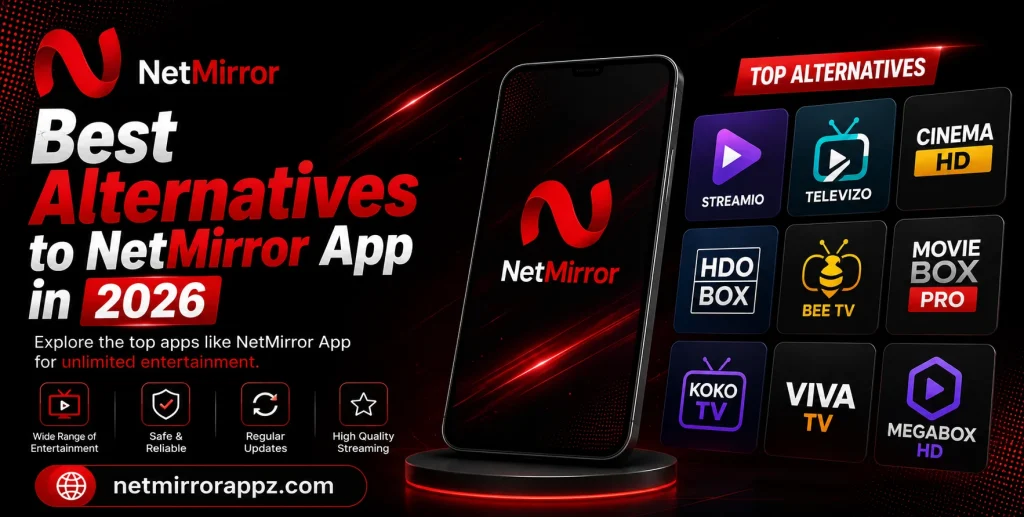
While NetMirror App remains a popular choice for free streaming, some users like to explore other options as well. Whether it’s for backup purposes or simply comparing features, knowing the alternatives can be helpful. This guide from NETMIRRORAPPZ.COM looks at some of the notable alternatives available in 2026.
Why Look for Alternatives?
Even reliable apps can face occasional downtime, regional restrictions, or temporary content gaps. Having a backup option ensures uninterrupted access to entertainment during such times. Exploring alternatives also helps users compare features and find what best matches their personal preferences.
Some users simply enjoy trying different platforms to see which interface and content library suits them best. This kind of comparison can lead to a more well-rounded streaming experience overall. It also helps users make informed choices rather than relying on a single app.
Key Factors to Compare
When looking at alternatives, a few factors matter most for a fair comparison. Consider the following points before switching or adding a new app:
- Content library size and variety of genres available
- Registration requirements and how much personal data is needed
- Video quality options and buffering performance
- App size and compatibility with different devices
- Update frequency for new releases and bug fixes
Keeping these factors in mind makes it easier to judge whether an alternative is truly worth trying. Not every free app offers the same balance of features.
General Comparison Table
Here is a general comparison of common traits found across free streaming alternatives compared to NetMirror App.
| Factor | NetMirror App | Typical Alternatives |
|---|---|---|
| Registration | Not required | Often required |
| Content Variety | Wide | Varies by platform |
| Ad Frequency | Low to moderate | Often higher |
| App Size | Lightweight | Varies, often larger |
| Update Consistency | Regular | Inconsistent |
This comparison shows that while alternatives exist, not all of them match the same balance of simplicity and content variety. Users should weigh these factors carefully before making a switch.
What to Look for in a Good Alternative
A strong alternative should offer a smooth streaming experience without excessive ads or intrusive permissions. It should also maintain a reasonably updated content library to stay relevant. Apps that require minimal personal information tend to be more appealing to privacy-focused users.
Performance is another key factor, since buffering and crashes can quickly ruin the viewing experience. A good alternative should run smoothly across a range of devices, not just the latest models. Checking user reviews before downloading any new app is always a smart step.
Things to Avoid When Choosing an Alternative
Not every alternative app is built with the same care, so a few red flags are worth watching for. Avoid apps that request excessive permissions unrelated to streaming, such as access to contacts or messages. Apps with a flood of intrusive pop-up ads can also indicate poor design or hidden risks.
Unverified download sources are another major concern, since they increase the risk of fake or harmful files. Sticking to well-reviewed apps and trusted websites reduces these risks significantly. Careful research before downloading saves time and protects device security in the long run.
Sticking with NetMirror App
After comparing available options, many users find that NetMirror App still holds up well against typical alternatives. Its simple, no-registration model combined with a wide content library keeps it a strong choice. Regular updates and a lightweight design also add to its appeal compared to bulkier competitor apps.
For users who want to explore both the app and its alternatives, NETMIRRORAPPZ.COM offers guides and updates to help with the decision. Comparing options first ensures a better long-term streaming experience. Making an informed choice always pays off in the end.
Categories of Alternative Streaming Apps
Alternatives to free mirror-based apps generally fall into a few broad categories, each with its own trade-offs. Understanding these categories makes comparison shopping much easier. Common types include:
- Other free mirror-based apps with similar no-cost models
- Ad-supported streaming platforms backed by larger companies
- Regional streaming apps focused on specific countries or languages
- Freemium platforms offering a limited free tier alongside a paid upgrade
Knowing which category an alternative falls into helps set realistic expectations before downloading. Not all free-sounding apps operate the same way behind the scenes.
Evaluating Long-Term Reliability
A streaming app’s short-term appeal does not always translate into long-term reliability, which is an important factor when choosing an alternative. Apps that receive infrequent updates often accumulate bugs and compatibility issues as device software evolves. Checking how recently an app was updated is a simple way to gauge its ongoing support.
User reviews and community discussions can also reveal patterns about long-term stability that are not obvious from a single download. Apps with consistent positive feedback over months, rather than just at launch, tend to be safer long-term choices. NetMirror App’s steady update history through NETMIRRORAPPZ.COM reflects this kind of ongoing reliability.
Cost Considerations Beyond the Download
While many alternatives advertise themselves as free, some include hidden costs such as forced premium upgrades or intrusive subscription prompts. Reading the fine print or checking user reports before committing to a new app can prevent unpleasant surprises. A truly free platform should not pressure users toward payment after the initial download.
Data usage is another hidden cost worth considering, since some apps are less efficient with bandwidth than others. Comparing data consumption across alternatives can reveal meaningful differences over a month of regular use. Factoring in these less obvious costs leads to a more accurate comparison overall.
Making the Switch Smoothly
For users who decide to try an alternative alongside or instead of NetMirror App, a smooth transition starts with proper research. Reading setup guides before downloading avoids common installation mistakes. Keeping the original app installed as a backup during the trial period also prevents any gap in access.
Testing an alternative for a short period before fully committing helps reveal any performance issues that were not obvious at first glance. This trial approach protects against wasted time on apps that ultimately do not meet expectations. A careful, gradual switch tends to work better than an abrupt full replacement.
Frequently Asked Questions About Alternatives
Users considering alternatives often ask similar practical questions.
Is It Safe to Have More Than One Streaming App Installed at Once?
Yes, having multiple apps installed does not cause conflicts, since each operates independently on the device. Storage space is the only real limiting factor when keeping several apps at once.
Should an Alternative Be Chosen Solely Based on Content Volume?
Content volume matters, but factors like update consistency, safety, and interface simplicity are equally important for a satisfying long-term experience. A large library with poor reliability rarely beats a smaller, well-maintained one.
Is Switching Between Apps Difficult?
Since none of these apps typically require heavy account setup, switching back and forth is usually quick and simple. Users can try a new option without losing access to their original app.
Weighing Personal Priorities First
Before settling on any single app, it helps to write down what actually matters most for individual viewing habits. Some users prioritize the widest possible content selection, while others care more about minimal ads or a simple, uncluttered interface. Ranking these priorities in order of importance makes comparing alternatives a much faster and more decisive process.
This kind of self-reflection prevents the common trap of downloading several apps without a clear reason for choosing one over another. A short list of personal priorities acts as a practical filter when evaluating any new streaming option. Clarity on what matters most almost always leads to a better final decision.
Final Recommendation
After weighing content variety, safety, cost, and long-term reliability, most users find that NetMirror App remains a strong baseline choice even when alternatives are considered. Its combination of a wide library, minimal setup, and consistent updates covers the essentials that most casual viewers look for. Exploring alternatives is still a worthwhile exercise, especially for users with very specific content needs or regional preferences.
For those who want to compare options without extensive independent research, NETMIRRORAPPZ.COM provides ongoing guides that simplify the decision-making process. Taking the time to compare before committing to a new app leads to better satisfaction in the long run. Ultimately, the best choice is the one that consistently matches an individual’s viewing habits and priorities.
Testing Alternatives Without Losing Time
A structured approach to testing alternatives saves time compared to randomly downloading multiple apps at once. Setting aside a short trial period, such as a single week, for each alternative gives a fair impression without a long-term commitment. Taking brief notes on loading speed, ad frequency, and content variety during this trial period makes later comparisons much easier.
This structured method also prevents decision fatigue that can come from juggling too many apps at the same time. Focusing on one alternative at a time, rather than several simultaneously, leads to a clearer and more confident final decision. A little structure turns an overwhelming search into a manageable, worthwhile comparison process.
Final Thoughts
While several alternatives exist for free streaming in 2026, few match the simplicity and content range that NetMirror App offers. Comparing factors like registration, ads, and update frequency helps identify the best fit for individual needs. For more comparisons and the latest app updates, NETMIRRORAPPZ.COM remains a useful resource.