What Is NetMirror App: Complete Guide
Streaming has become a daily habit for millions of people around the world. Many users now look for ways to enjoy movies and shows without paying for multiple subscriptions. NETMIRRORAPPZ.COM brings you this complete guide to help you understand what the NetMirror app is and how it works.
What Is NetMirror
NetMirror is a free streaming app designed to give users access to content similar to what major OTT platforms offer. It features an interface inspired by popular streaming services, making it familiar and easy to navigate. The app allows users to browse and watch movies, TV shows, and web series without needing separate subscriptions for each platform.
Why NetMirror Has Become Popular
Several factors have contributed to the growing popularity of this app among streaming fans. Below are some of the main reasons users continue to search for and download NetMirror.
- Free access to a large library of movies and shows
- No login or account creation required in most versions
- Simple and familiar interface for easy navigation
- Support for multiple languages and subtitles
- Regular content updates across different genres
Key Features of NetMirror
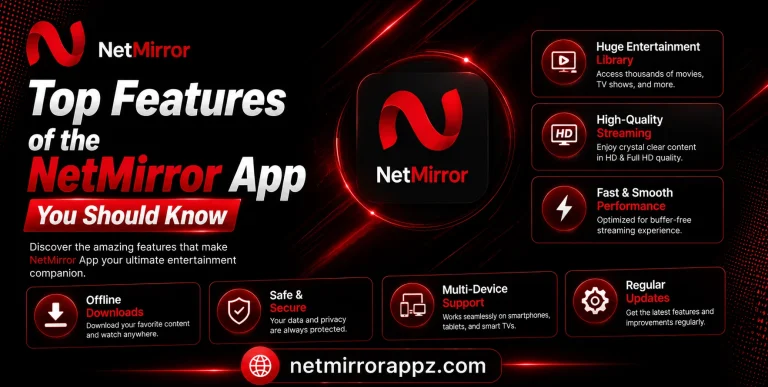
Understanding the core features helps set the right expectations before using the app. The table below breaks down what most users can expect.
| Feature | Details |
|---|---|
| Content Library | Movies, TV shows, and web series |
| Subscription | Not required for basic access |
| Subtitles | Multiple languages supported |
| Video Quality | HD and Full HD playback options |
| Platform Support | Android, PC, and select TV devices |
Content Categories Available
NetMirror organizes its library into categories to make browsing simple and quick. Users can explore trending titles, new releases, and genre based collections. This structure helps viewers find something to watch without endless scrolling.
Video Quality and Playback
The app supports different resolution options depending on the device and network connection. Users can typically switch between standard and high definition playback. Selecting the quality setting that matches your current internet speed usually leads to smoother playback.
How NetMirror Works
Getting a basic understanding of how the app functions helps new users get started quickly.
Browsing and Searching Content
The homepage typically displays trending and recommended titles as soon as the app opens. A search bar allows users to look up specific movies or shows by name. Genre based tabs also help users discover new content based on their preferences.
Streaming Without a Subscription
Unlike official platforms that require monthly payments, NetMirror provides access without a recurring subscription fee. This is one of the biggest reasons users are drawn to the app. However, users should always stay informed about the legal and safety aspects before relying on such platforms.
Device Compatibility
NetMirror is designed to work across a range of devices for flexible viewing options.
- Android phones and tablets for on the go streaming
- PC and laptops through browser or emulator access
- Smart TVs for a larger screen viewing experience
- Firestick and similar devices for streaming on television
Things to Know Before Using NetMirror
A few important points are worth understanding before downloading or using this type of app.
Safety Considerations
Since NetMirror is not distributed through official app stores in most cases, users should be cautious about the source of the download file. Checking the reputation of a download website helps reduce potential security risks. NETMIRRORAPPZ.COM always recommends verifying sources before installing any app of this type.
Legal Considerations
The legality of streaming apps like NetMirror can vary depending on your region and local regulations. Users should research their local laws regarding unofficial streaming platforms before use. Staying informed helps avoid any unintended legal issues.
Comparing NetMirror to Official Streaming Platforms
The table below offers a simple comparison between NetMirror and typical official OTT platforms.
| Factor | NetMirror | Official Platforms |
|---|---|---|
| Cost | Free | Monthly subscription required |
| Content Library | Aggregated from multiple sources | Platform specific library |
| Official Support | Not available | Full customer support |
| App Store Availability | Often unavailable | Available on major app stores |
| Content Licensing | Unverified | Fully licensed |
Who Uses NetMirror
Different types of users turn to this app for various reasons related to entertainment access.
- Budget conscious viewers avoiding multiple subscription costs
- Casual streamers wanting quick access to trending shows
- Users in regions with limited official platform availability
- People testing content before deciding on a paid subscription
Tips for a Better Streaming Experience
These tips help improve overall performance and enjoyment while using the app.
- Use a stable internet connection for smoother playback
- Lower video quality settings on slower networks
- Keep the app updated to the latest available version
- Clear cache regularly to maintain smooth performance
- Research the source before downloading any installation file
History and Background of NetMirror
Understanding where an app comes from helps users make more informed decisions about using it.
Origins of the App
NetMirror reportedly began as a project inspired by the interface and experience of major streaming platforms. Over time, it evolved into a standalone app with its own branding and growing user base. This background explains why the interface feels so familiar to anyone who has used popular streaming services before.
Growth in Popularity
The app gained significant traction as more users searched for free alternatives to paid subscriptions. Word of mouth and online reviews helped spread awareness across different regions. This growing interest has led more users to look for detailed guides on using the app safely.
Common Content Genres on NetMirror
The app typically organizes its library into familiar genre categories for easier browsing.
| Genre | Typical Content |
|---|---|
| Action | Blockbuster movies and thrillers |
| Drama | Character driven films and series |
| Comedy | Lighthearted movies and sitcoms |
| Horror | Scary movies and suspense series |
| Documentary | Real life stories and educational content |
Trending and New Releases
Most versions of the app highlight trending titles directly on the homepage for quick access. New releases are often added regularly to keep the content library fresh. This organization helps users discover popular content without needing to search extensively.
Comparing Content Discovery Methods
Finding the right show or movie quickly improves the overall user experience significantly.
Search Based Discovery
Users who already know what they want to watch typically rely on the search bar. Typing a title name usually brings up relevant results within seconds. This method works best for viewers with specific content in mind.
Browse Based Discovery
Many users prefer scrolling through categories and recommended sections instead of searching directly. This method works well for viewers who are unsure what to watch and want inspiration. NETMIRRORAPPZ.COM finds that most casual users rely more on browsing than direct searching.
Managing Expectations Before You Start
Setting realistic expectations helps avoid disappointment when using any free streaming app.
Content Availability May Vary
Since NetMirror pulls content from multiple sources, availability of specific titles can change without notice. Some shows may disappear or become temporarily unavailable due to licensing changes. This unpredictability is common across most unofficial streaming platforms of this type.
Performance Can Depend on Server Load
Streaming quality and loading speed may fluctuate based on how many users are accessing the app at once. Peak hours often see slower performance compared to off peak times. NETMIRRORAPPZ.COM suggests trying different times of day if you experience buffering issues.
Frequently Asked Questions
Is NetMirror available on official app stores? Availability varies, and the app is often distributed through third party websites rather than major app stores. NETMIRRORAPPZ.COM recommends checking current availability before searching for a download source.
Do I need to create an account to use NetMirror? Most versions of the app do not require account creation, though this can vary between different releases.
Can I watch NetMirror on my TV? Yes, the app is generally compatible with smart TVs and streaming devices like Firestick, depending on the specific version.
Does NetMirror support subtitles in multiple languages? Yes, subtitle support across multiple languages is one of the commonly highlighted features of the app.
Final Thoughts
NetMirror offers an accessible way to stream movies and shows without the cost of multiple subscriptions. Understanding its features, device compatibility, and safety considerations helps you use the app more confidently. Visit NETMIRRORAPPZ.COM for more guides on getting the most out of your streaming experience.